From 500 mm to a QAV-R
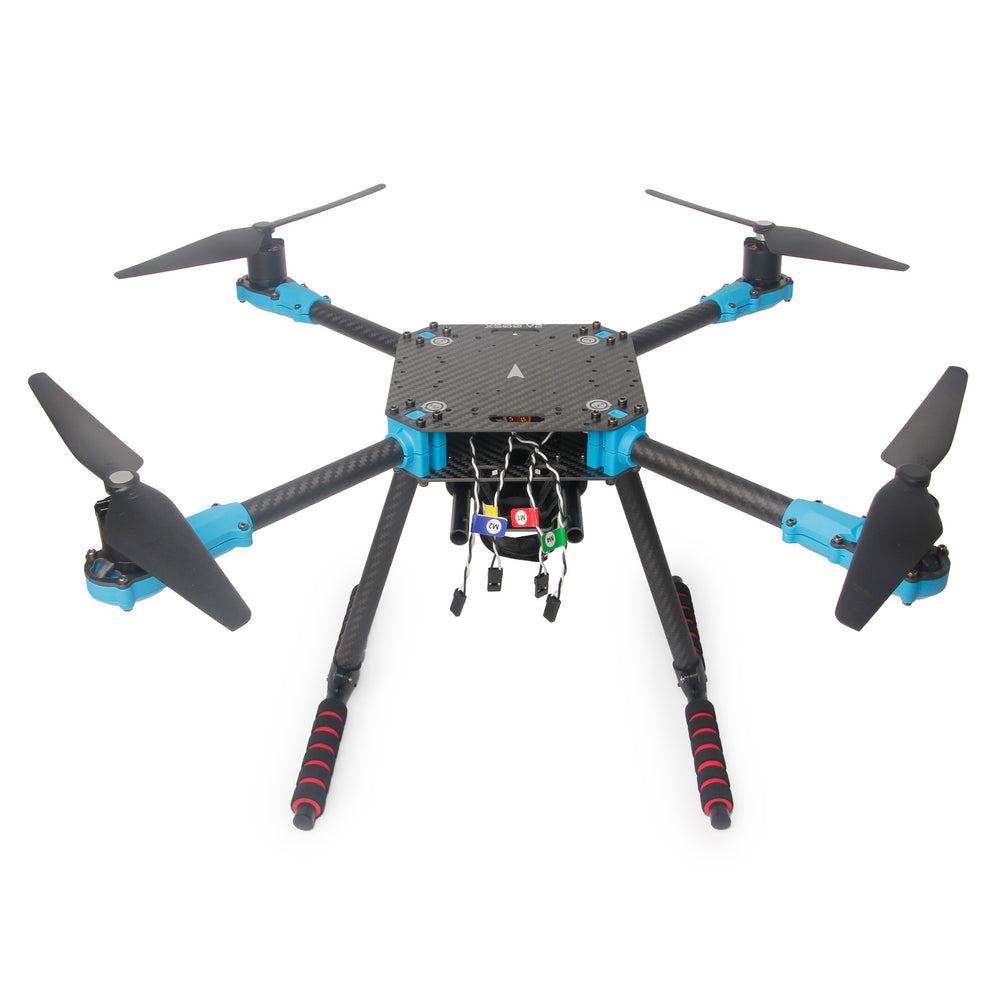
500 mm motor diagonal.
Photo: Holybro.
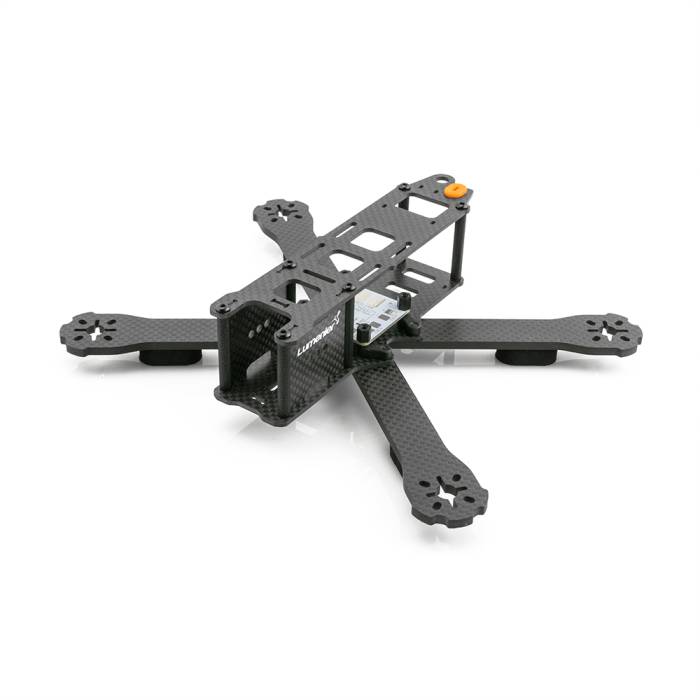
220 mm motor diagonal; 127 mm propellers.
Photo: Lumenier / GetFPV.
The photos identify the two frame sizes; they are not shown at the same scale.
The X500 illustrates a 500 mm platform. The baseline simulation’s 2.5644 kg
mass and aerodynamic parameters come from its existing gs_drone model;
they are not measured specifications for the pictured X500 kit.
The baseline FastDyn.Copter has a 500 mm motor diagonal (arm_length = 0.25)
and a 2.5644 kg mass. The small-frame example targets the original 5-inch
Lumenier QAV-R. Its specified motor diagonal is 220 mm, so the corresponding
center-to-motor arm length is 0.11 m. A 5-inch propeller has a 0.127 m
diameter. Lumenier’s QAV-R product specification
distinguishes this version from the 180 mm and 260 mm variants.
Changing only the arm length is insufficient. You also need to account for flying mass including battery, inertia, motor/propeller thrust, motor lag, aerodynamic drag, and ground-contact geometry. The frame’s wheelbase is a manufacturer dimension; inertia and propulsion depend on the actual build.
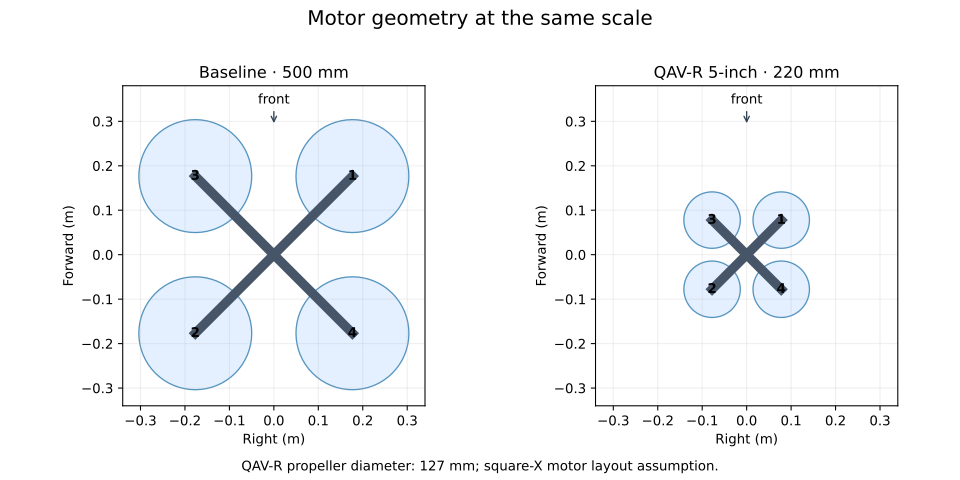
The layout diagram uses an idealized square-X arrangement. Its large-frame propeller diameter is 254 mm for illustration; the QAV-R propeller diameter is 127 mm. The original QAV-R’s specified diagonal is preserved, but detailed motor mounting coordinates still need a drawing or measurements for a specific build.
Read the smaller model
within FastDyn;

model Qavr "Original 5-inch QAV-R: 220 mm diagonal; assumed tutorial equipment"
  import Vehicles;
  import Geodesy;
  parameter Real bare_mass = 0.50 "Flying mass including battery [kg]";
  parameter Real bare_inertia[3,3] = diagonal({0.0008973333333333334, 0.00126, 0.002066666666666667})
    "Estimated inertia of the equipped frame [kg*m^2]";

  extends Copter(
    mass = bare_mass, inertia = bare_inertia,
    arm_length = 0.11,
    Ct = 1.6e-6, Cm = 0.009, omega_max = 2300,
    tau_up = 0.015, tau_down = 0.025,
    body_area = 0.01936,
    drag_area = {0.011616, 0.015488, 0.023232},
    linear_drag = {0.023232, 0.023232, 0.034848},
    leg_x = 0.07, leg_y = 0.07, leg_z = -0.03,
    ground_k = 600, ground_c = 30, ground_tangent_c = 5);
end Qavr;
The 0.50 kg equipped mass, inertia tensor, motor coefficients, drag, and motor
lag are explicit tutorial assumptions. The arm_length = 0.11 setting is half
the specified 220 mm motor diagonal. In the later payload study, this tensor
stays fixed while the prescribed payload weight changes.
Select this model with an overlay:
# Overlay for configs/copter462.toml. Vehicle defaults live in Modelica.
[FMU]
active = "qavr"

[FMU.models.qavr]
model = "FastDyn.Qavr"
model_file = "modelica/FastDyn/Qavr.mo"
source_roots = ["modelica", "third_party/common/modelica_models"]
output = "out/fmi3/Qavr"
build = true

[FMU.models.qavr.parameters]
lat0 = 40.414929
lon0 = -86.932387
ground_alt_wgs84 = 149.0
In your chosen environment, type:
fastdyn-config --base configs/copter462.toml \
  --overlay configs/models/qavr.toml --output out/qavr.toml
Expected output begins Created out/qavr.toml. Open that generated file and
check that [FMU].active is qavr and its class is FastDyn.Qavr.
Tune before the mission
Before flying a full mission with the smaller vehicle, compare controller responses in the emulated ArduCopter firmware. The existing ArduPilot Holybro QAV250 parameter set is a candidate gain seed from another small frame. It does not establish a validated QAV-R tune. Hardware-specific ESC, battery, and notch settings must not be copied without matching the modeled hardware.
Continue to the measured controller comparison. Inspect the recorded ±5° responses and the selected gains’ ±10° validation, then export those gains and use them for your QAV-R mission.